Headlamp AI Assistant updates: Skills, provider auto-detection, and proactive diagnosis
Headlamp AI Assistant, an open source Headlamp plugin maintained under Kubernetes SIG UI, adds a conversational interface to Headlamp. It can inspect cluster state and request changes. That access requires clear trust boundaries, predictable cluster targeting, provider choice, accessibility, and tests that do not depend on a live model.
Add organization-specific knowledge without rebuilding the plugin
The 0.3.0-alpha release introduced skills, which are versioned sources of an organization's instructions and reference information from GitHub repositories. The assistant can inspect a skill, match it to a request by keywords or embeddings, and add the relevant content. Users can pin a source to a branch, tag, or commit SHA and verify it with a SHA-256 integrity hash.
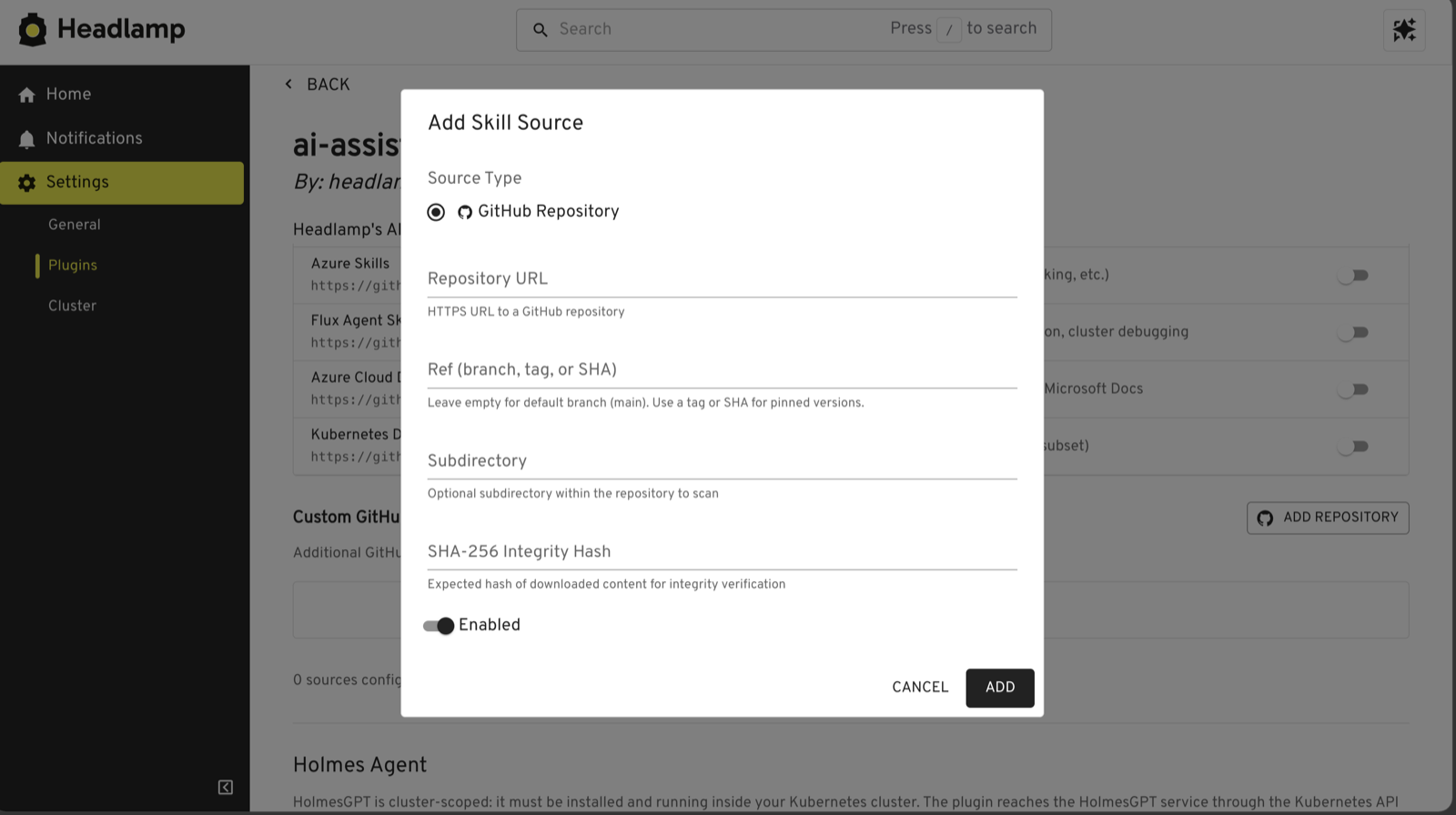
The loader rejects path traversal and symbolic links, restricts supported protocols, and limits archive size and file count. Skill content becomes part of the model's instruction context. Review that content, pin production sources to an immutable revision, and use the integrity field for sources outside your control.
The same release expanded
Model Context Protocol (MCP) support. Desktop
users can configure MCP servers, discover their tools, inspect input schemas, and
enable tools individually. Servers that use HEADLAMP_CURRENT_CLUSTER restart when
the active cluster changes. HolmesGPT integration also became configurable and now
checks service health before switching into agent mode, preserving a pending prompt
when the service is unavailable.
Skills add organization-specific knowledge without changing the plugin. MCP servers add tools.
Auto-detect available models
In the desktop application, Auto Detect finds model access that is already available on your computer. It currently discovers:
- GitHub Copilot through GitHub command-line authentication
- Local Llama and other models exposed through Ollama
- Azure OpenAI and Azure AI Foundry chat deployments across enabled Azure subscriptions
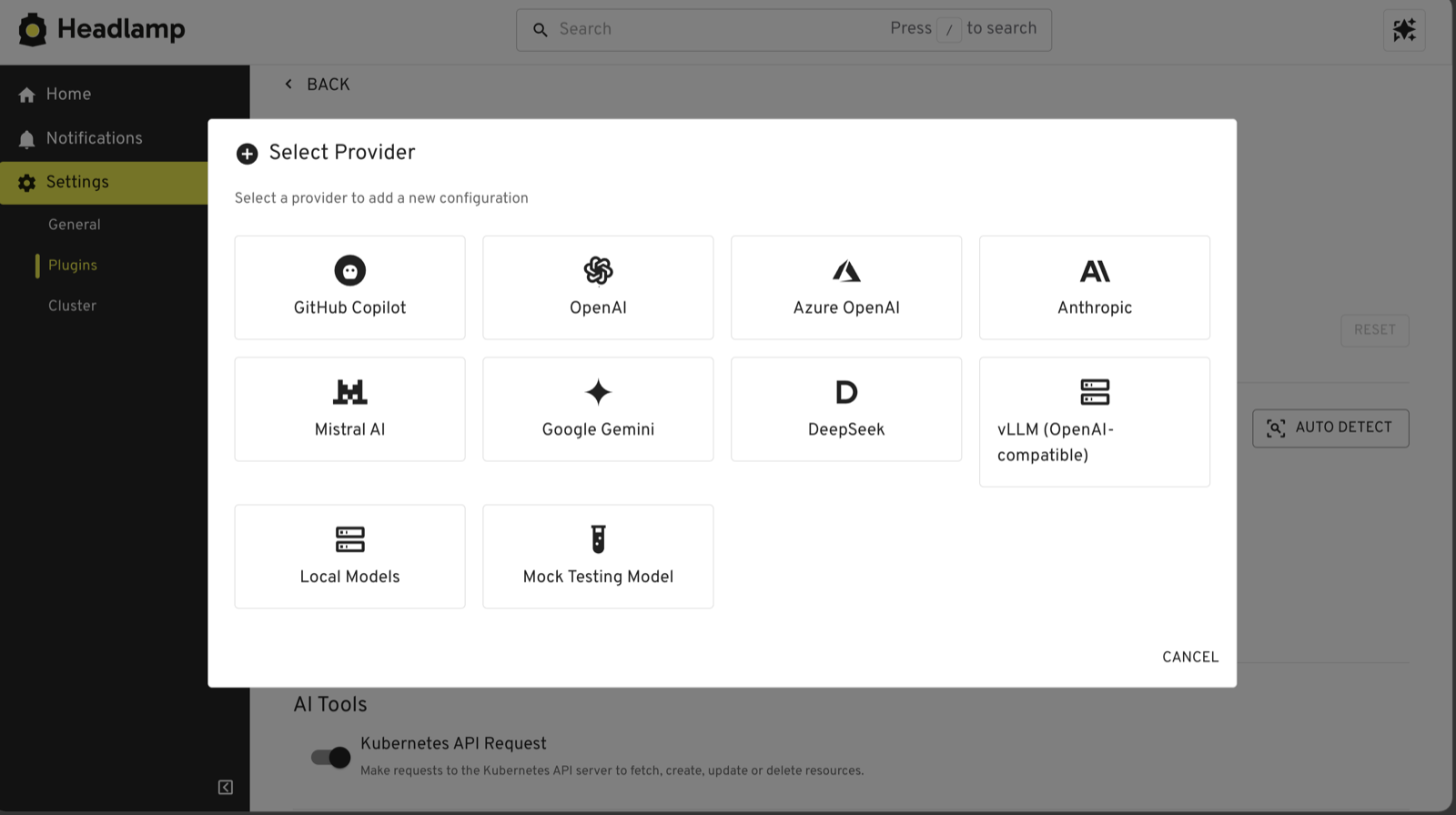
For detected Azure deployments, the plugin checks access before saving them. It reports missing role-based access control permissions and private-network connectivity problems separately, which helps explain why a discovered Azure model might not be usable. The Azure detector retrieves account keys when needed but does not persist them.
Manual configuration remains available for other hosted, local, and OpenAI-compatible providers. Support for more automatic discovery sources is planned.
Provider choice does not remove the need for a data review. Depending on the tools and provider that you enable, prompts can include Kubernetes resource data and tool results. Before using the plugin, review the model provider's data-handling terms, the enabled tools, and the access granted to the Headlamp session.
Diagnose problems as they happen
Without proactive diagnosis, an investigation starts after you open the assistant and ask for help. Depending on the agent and tools involved, gathering context and returning an answer can take several minutes.
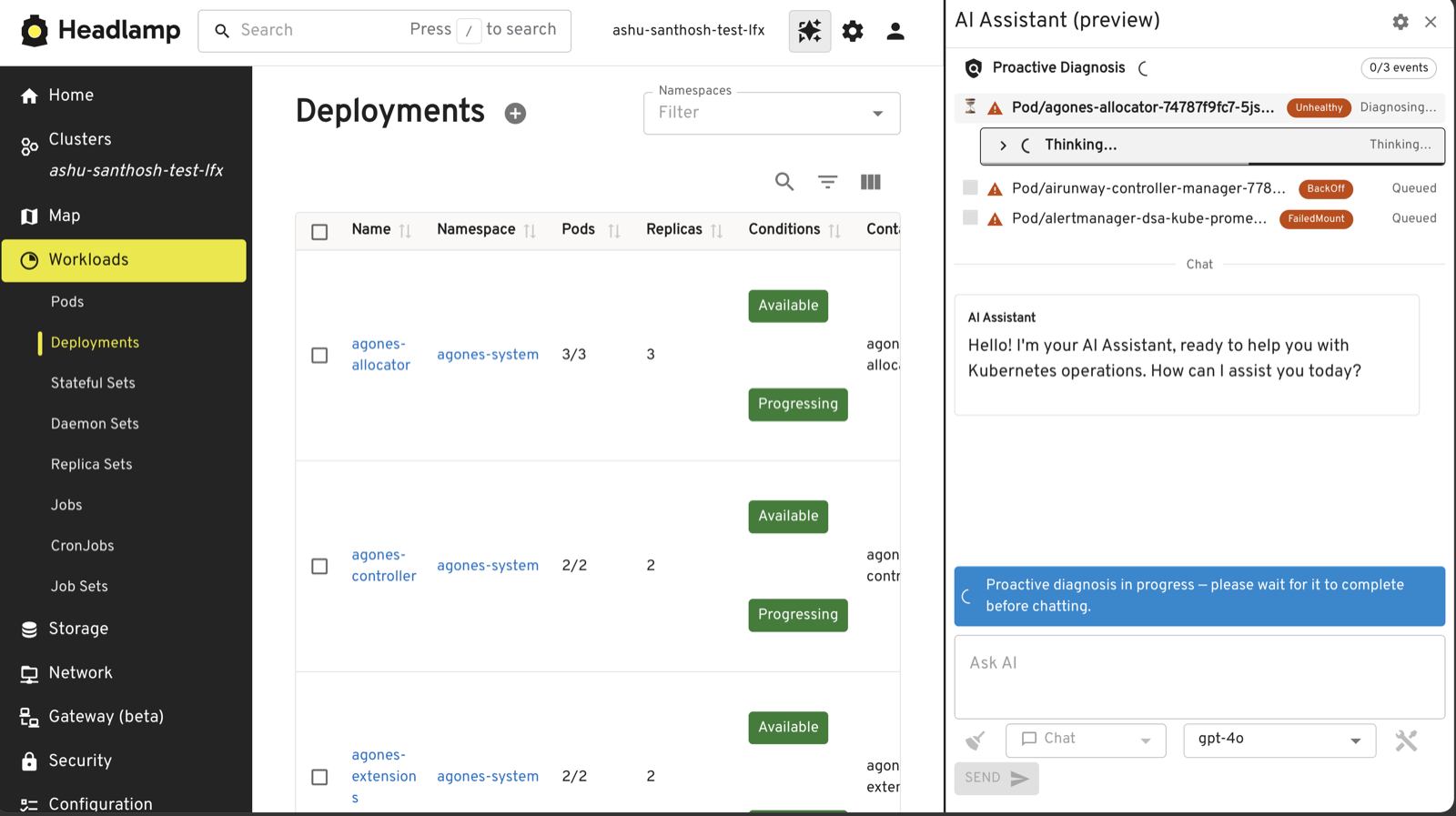
After you sign in to Headlamp and open the assistant with proactive diagnosis enabled, the plugin checks recent warning and error events and starts investigating automatically. You do not need to enter a prompt first. While the panel remains open, the plugin periodically checks for more events and can prepare summaries of affected workloads and suggested follow-up questions.
The current preview does not run while the assistant panel is closed. Proactive diagnosis remains an opt-in alpha preview and is off by default. Feedback from early users is guiding further improvements to when investigations start, how results are prioritized, and how progress is presented.
The longer-term goal is to save time during troubleshooting by starting an investigation earlier. When a user needs to diagnose an issue, the agent should already have examined the issue and prepared useful context instead of beginning from scratch.
Improve accessibility and internationalization
The shared UI work also added keyboard controls for resizing and dialogs, accessible names and status announcements, stronger dialog semantics, and theme-aware code rendering. Automated component tests include axe checks. These checks do not show complete Web Content Accessibility Guidelines (WCAG) conformance. A separate fix made the top-bar icon readable against light, dark, and custom navigation themes.
Internationalization work connected the shared UI to Headlamp's translation instance and made production strings extractable. The plugin now has locale catalog support for English and 18 additional locales. The UI translates display labels without changing the canonical prompt sent to a model.
Improve quality through shared packages, tests, and documentation
Contributors separated the assistant into four parts:
ai-commoncontains provider, conversation, prompt, skill, tool, MCP, and security behavior.ai-uicontains reusable React components, settings, accessibility behavior, and rendering.- The Headlamp plugin code connects the shared packages to Headlamp, Kubernetes resources, plugin settings, and the desktop application.
- The standalone
headlamp-aicommand-line interface uses the same core without the Headlamp UI.
This structure makes the shared behavior testable without loading Headlamp and gives each package a defined public interface. It also centralizes secret redaction, tool approval, cancellation, and provider configuration.
Resource updates now use Kubernetes merge semantics instead of merging live objects in the browser. The tool layer also redacts common credentials and keeps added tool authority configurable. Contributors use the CLI to test providers, skills, and Kubernetes tools outside the Headlamp UI. Fixture-backed chat models, scripted agents, mock tools, and offline conversations make tests reproducible and avoid spending model tokens during routine development.
Automated coverage now includes package and plugin unit tests, axe accessibility checks, and end-to-end scenarios that use KWOK and Playwright. The main README documents provider, HolmesGPT, and MCP configuration. A separate end-to-end guide documents how to build the plugin, create the test cluster, and run the Playwright scenarios.
Make multi-cluster context explicit
From the Home view, the assistant now receives the available clusters and can target one by name. It selects a default only when one cluster is configured and includes the target cluster in write confirmations. You can discuss resources in multiple configured clusters from one conversation without navigating into each cluster first.
Try it and contribute
The AI Assistant remains alpha software, but it is already useful for asking questions about cluster state, gathering context, and starting guided investigations in Headlamp. Over the past six months, shared packages, broader automated and end-to-end tests, clearer documentation, and more predictable provider and cluster handling have improved its quality.
Model output can still be wrong. Review the cluster, namespace, resource, and patch before approving a write. Start with read-only tools and a non-production cluster while evaluating the plugin.
Installation and configuration instructions are in the AI Assistant README. To report a problem or propose an improvement, use the Headlamp plugins repository's issue tracker. Contributions to provider support, evaluation fixtures, accessibility, documentation, and Kubernetes-specific safety behavior are welcome.